
The bracelet or necklace you pick matters, but the photo you put inside it matters more. It’s the one part of the piece that can’t be swapped out later: your photo is printed onto the flat side of the pendant or charm and sealed inside, and once it’s made, it’s made. Choose well and you’ll get a projection that’s sharp and unmistakably them. Choose in a hurry and you may end up with something you can see is there, but can’t quite make out.
Here’s exactly what to look for, whether you’re ordering a photo projection bracelet or a photo projection necklace, and what to avoid.
Why This Choice Is Worth Getting Right First Time
Photo projection jewellery works by having your photo printed onto the flat side of the piece and held inside it. You can view it two ways: with the naked eye through the rounded front, or with a phone camera. Shining a light through the flatter side projects the image onto a surface, so you can share it as well as wear it.
The image is fixed once it’s made. It isn’t digital and it can’t be swapped for a different photo later on, so it’s worth spending a few extra minutes choosing the right one before you upload it at checkout. It’s also worth knowing that Allure’s 100-day guarantee covers your piece arriving broken, arriving wrong, or tarnishing. It doesn’t cover changing your mind about a personalised photo once your order is placed, so getting the photo right matters more here than it would with an off-the-shelf piece.
The One Rule That Matters Most: Square, With the Subject Centred
If you take one thing from this guide, make it this: use a square photo with your subject centred in the frame. That’s the single biggest factor in how clearly your photo projects, because the printing has to work with a small, round or heart-shaped lens rather than the rectangle your phone photo probably comes in.
A photo that’s already square, or close to it, crops predictably. A wide landscape photo or a tall portrait shot has to be cropped down to fit, and if your subject isn’t centred, that crop can cut off the part of the photo you actually wanted. Before you upload anything, crop it yourself into a square first (most phones can do this in a few taps) so you can see exactly what will make it into the final piece.
What Makes a Photo Project Clearly
Beyond the square crop, a handful of things make the difference between a photo that projects sharply and one that’s harder to read once it’s miniaturised:
- Good, even lighting. Natural daylight photos usually project more clearly than photos taken in dim rooms or with a flash that’s washed out one side of the face.
- A simple background. A busy or cluttered background competes with your subject once the image is shrunk right down. Plain walls, skies or blurred backgrounds all work well.
- Strong contrast. A subject that stands out clearly from the background (in tone as well as colour) holds up far better at a tiny size than one that blends into it.
- The highest resolution version you have. Screenshots, images forwarded through WhatsApp several times, or old photos scanned at low resolution all lose detail before they even reach us. Go back to the original if you can.
Photos of People, Pets and Group Shots
A close-up portrait, with one face filling most of the frame, is the easiest photo to get right. It’s forgiving of the square crop and holds detail well even at a small size.
Group photos and full-body shots are harder, simply because there’s more going on inside the same small space. If a group photo is what matters to you, that’s completely fine, just try to pick one where everyone is close together and reasonably large in the frame, rather than a wide shot taken from across a room.
Pet photos work best front-on or side-on, in good light, ideally without another pet or a person’s hand crowding the frame.
If the photo you’re choosing is of someone who’s no longer with you, take your time with it. Many of our customers are choosing exactly that kind of photo, often an older one that wasn’t taken with this in mind, and we’d always rather you send us your genuine favourite than a technically perfect photo that means less to you.
What to Avoid
- Blurry or out-of-focus photos, even if the moment is perfect
- Very dark or backlit photos where the subject is in shadow
- Heavy filters or overlays (text, stickers, borders) that weren’t part of the original photo
- Screenshots of photos rather than the original file
- Wide shots where your subject is small in the frame
Does It Matter If You’re Choosing for a Bracelet or a Necklace?
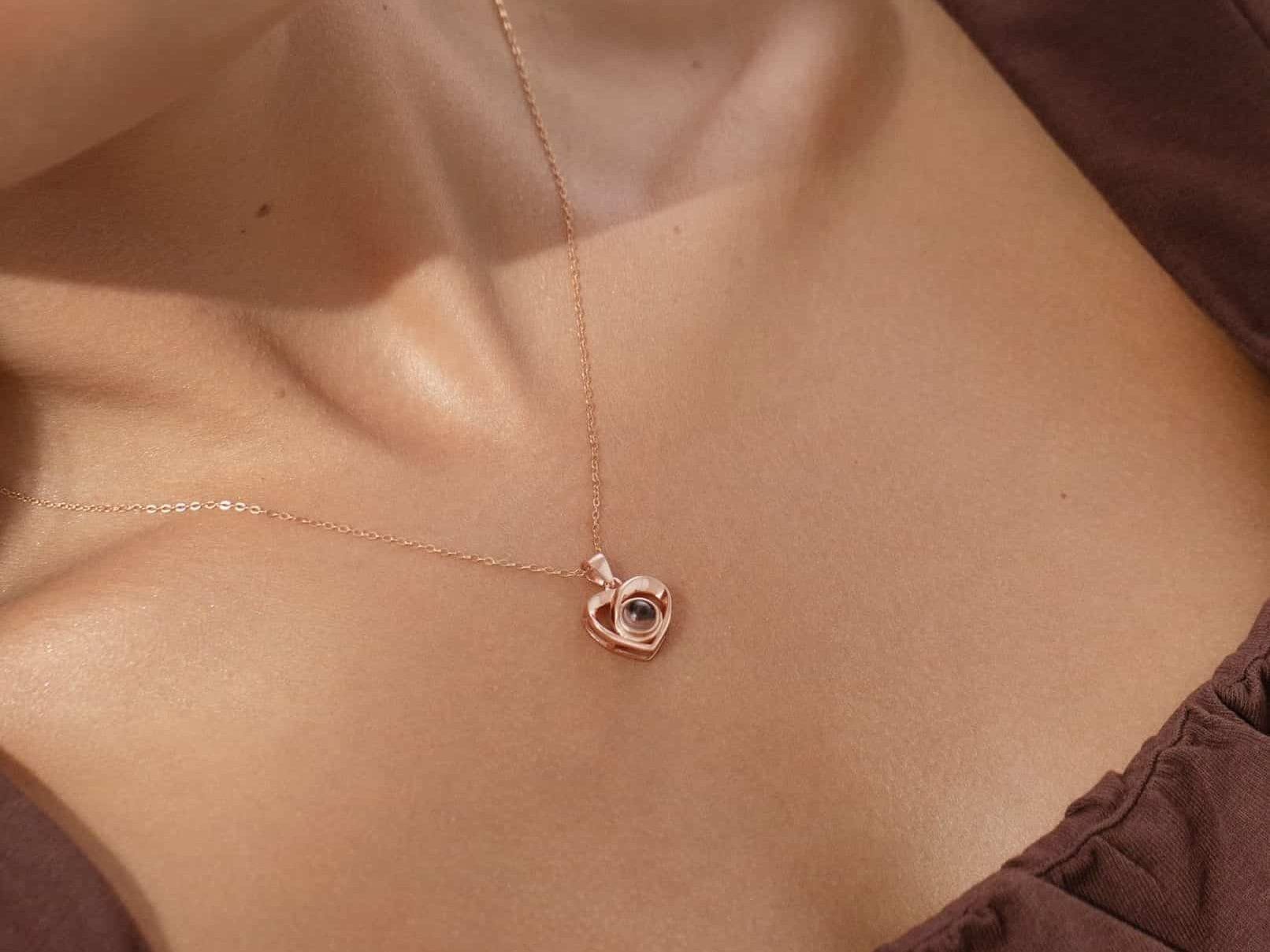
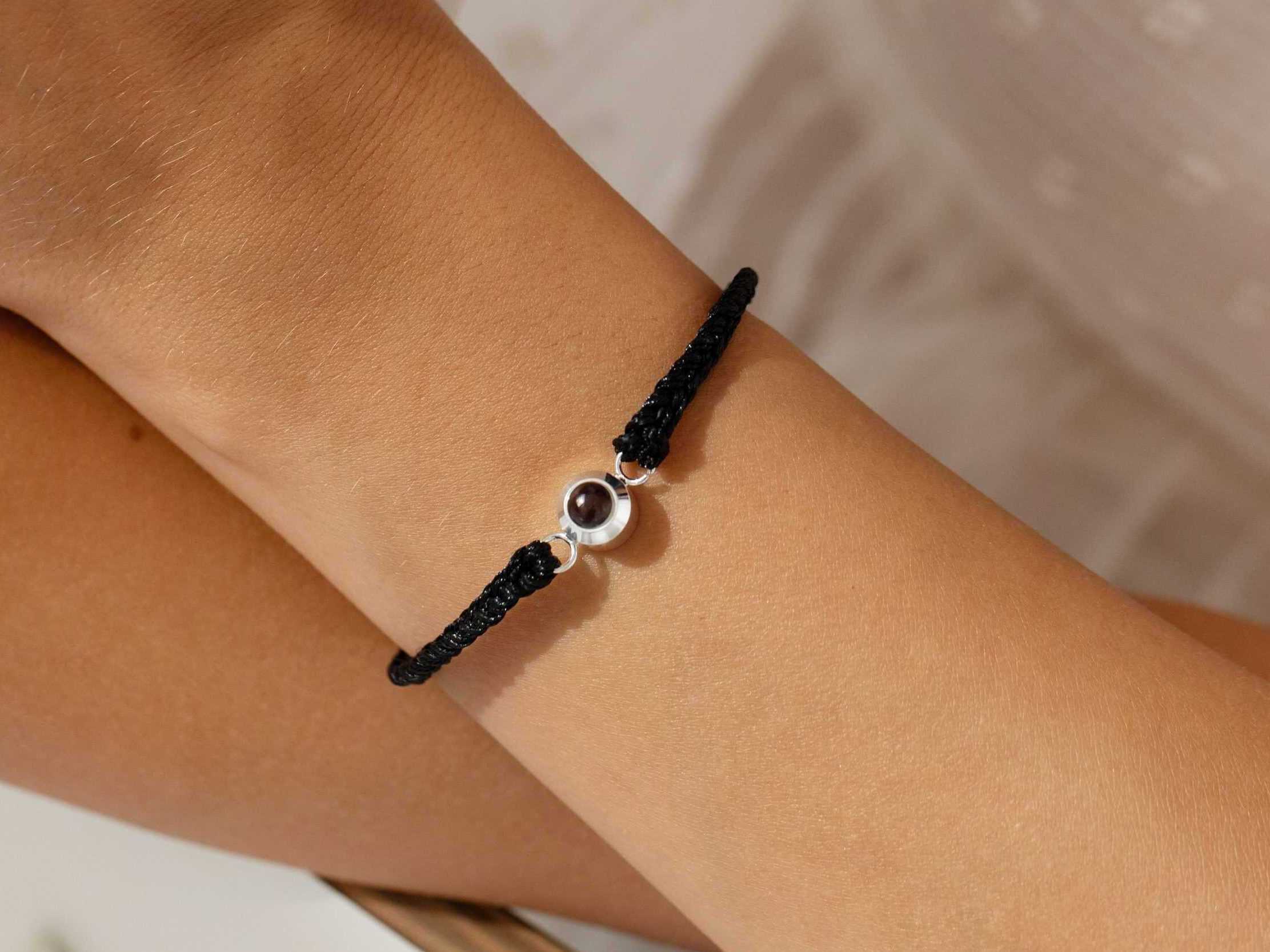
No, not when it comes to the photo itself. The outer pendant or charm size differs from piece to piece, but the actual photo element, the tiny lens your image is printed onto, is the same size in every one of Allure’s projection pieces. The Chain Photo Bracelet‘s circle charm measures 8mm across, while the Crossed Heart Photo Necklace‘s heart pendant is 18mm by 13mm, but that’s a difference in the surrounding setting, not in how much of your photo it holds. The same rules about a square crop, good lighting and a simple background apply equally whichever piece you’re choosing for.
How You’ll See the Photo Once It Arrives
However carefully you choose your photo, it helps to know what you’re actually going to see when your piece arrives. There are two ways to view it: with the naked eye or with a phone camera. Shine a light through the flatter side of the piece and the same image projects onto any surface in front of you, a wall, your hand, a piece of paper.
For more on the mechanics of it, see our guide to how photo projection bracelets work. And because the photo is the one part of the piece that needs a bit of looking after, it’s worth reading how to keep the photo protected day to day once your piece arrives.
Uploading Your Photo at Checkout
The ordering process itself is simple:
- Choose your piece and finish (silver, gold, rose gold or 925 sterling silver, depending on the product).
- Upload your photo using the file upload button on the product page. A clear, square photo with your subject centred gives the best result.
- Add to basket and checkout. If you’re ordering more than one piece with different photos, add each one to your basket separately so the right photo is matched to the right piece.
Every piece is made to order, typically within 1-2 weeks, and covered by the 100-day guarantee against arriving broken, arriving wrong, or tarnishing. Once you’re happy with the photo you’ve chosen, that’s genuinely all there is to it.
FAQ
What’s the best type of photo to use for a photo projection bracelet or necklace?
A clear, well-lit, square photo with your subject centred and filling most of the frame. Close-up portraits with a simple background project most clearly, since the image is printed at a very small size.
Does my photo have to be square?
It doesn’t have to be, but it helps enormously. The pendant or charm is round or heart-shaped rather than rectangular, so a square photo with the subject centred crops far more predictably than a wide or tall photo does.
Can I use an old or low-resolution photo?
Yes, but use the highest-resolution version you have access to rather than a screenshot or a copy that’s been sent through several messaging apps, since each step loses a bit of detail. If the original file still exists somewhere, it’s worth tracking down.
Can I change the photo after I’ve placed my order?
Once an order is placed it starts being made straight away, so changes aren’t normally possible. If you contact us immediately after ordering we may be able to help, but the safest approach is to double-check your photo before you check out.
Does the photo look different in a bracelet compared to a necklace?
No. The photo element itself, the tiny lens your image is printed onto, is the same size in every piece, whether it’s a bracelet or a necklace. Only the outer pendant or charm varies in size by design, not the photo, so the same advice about a square, well-lit, high-contrast photo applies equally to both.




Leave a Reply